Airbnb Lockbox: How to Choose and Install It
By Clément · Co-founder of Lyvo, product and technology
An Airbnb lockbox is a combination safe mounted near the entrance that holds a spare key so guests can let themselves in. Expect to pay 20 to 150 dollars depending on the model, mount it on a wall you own, and change the code between every stay. It is the cheapest self-access solution available.
The hard part is not buying one. It is picking the right build, putting it somewhere that will not get it ripped off the wall, and moving the code around safely. Those three decisions separate a lockbox that lasts five years from one that fails in three months.
Why a lockbox is still the simplest self check-in
Self check-in always starts with the same question: how does the guest get in without you? A smart lock answers it well, but it means swapping the cylinder, managing batteries and sometimes adding a Wi-Fi bridge. A lockbox touches nothing. Your existing lock, your existing key, your existing spare set.
Three situations where it clearly wins:
- You rent the unit or live in a managed building and cannot modify the entry door. A lockbox mounts on a wall, a gate or a private post, with no work on the door itself.
- The property is old and the door will not take a smart cylinder without carpentry.
- You are testing short-term rental and would rather not spend 300 dollars per unit before the first bookings land.
Cost is the deciding argument. Smart locks start around 100 dollars and climb past 250 quickly. A solid lockbox costs about the same as a tank of gas, and you can fit five properties for the price of one lock.
Its limit is just as clear: the code changes by hand, on site. Past three or four units with tight turnovers, that becomes a real constraint. That is the point to read our full guide on how to automate your rental check-in end to end, which weighs both approaches in detail.
The four types of lockbox and what they are worth
Not all lockboxes protect the same way. Four families share the market.
The shackle combination box. It hangs on a door handle, a railing or a pipe. No drill, no marks. Cheapest and weakest: the shackle can be cut and nothing physically anchors it. Fine as a stopgap, never as a permanent setup.
The wall-mounted dial box. Bolted to the wall with four screws, using rotating number dials. This is the sector standard: sturdy, purely mechanical, indifferent to frost and heat alike. Serious models use a steel or thick zinc alloy body and a sliding cover that shields the mechanism from rain.
The wall-mounted push-button box. Same idea, with buttons that press in instead of dials. The code goes in faster with gloves on, which matters in a ski chalet. The trade-off: the most-used buttons wear visibly and eventually give the code away. Clean the keypad regularly.
The electronic or connected box. Touch keypad, sometimes Bluetooth, with temporary codes generated from an app. It removes the trip to change the code and logs every opening. It also adds a battery to watch and a dependency on one manufacturer. At this price point the gap with a real smart lock narrows sharply, which raises the obvious question.
One useful benchmark when comparing: in the UK, the testing body Sold Secure certifies key safes alongside locks and cycle security, putting them through timed attack tests. A model carrying that kind of rating has resisted real tools, not a marketing claim.
2026 comparison: five setups by budget
Rather than product references that change every six months, here are the five configurations every manufacturer offers, with the price brackets seen in 2026.
| Setup | Indicative price | Security | Weather resistance | Capacity |
|---|---|---|---|---|
| Entry-level shackle box | 15 to 30 USD | Low | Fair, exposed mechanism | 1 to 2 keys |
| Wall-mounted dial, uncertified | 30 to 60 USD | Adequate | Good with a cover | 2 to 3 keys |
| Wall-mounted dial, attack-tested | 60 to 120 USD | High | Very good, sealed | 3 to 5 keys |
| Wall-mounted electronic keypad | 80 to 150 USD | High | Good, keep it sheltered | 3 to 5 keys |
| Bluetooth, remote code | 150 to 250 USD | High, with an access log | Good, battery hates cold | 3 to 5 keys |
For a unit rented year-round, the attack-tested wall-mounted dial is the line to pick. It costs twice a basic model and outlives it by years. Capacity matters more than people expect: plan for the apartment key, the building entrance key, possibly the mailbox or bike storage. A box rated for two keys stuffed with four no longer closes flush, and that is exactly where water gets in.
Where to mount a lockbox, and where not to
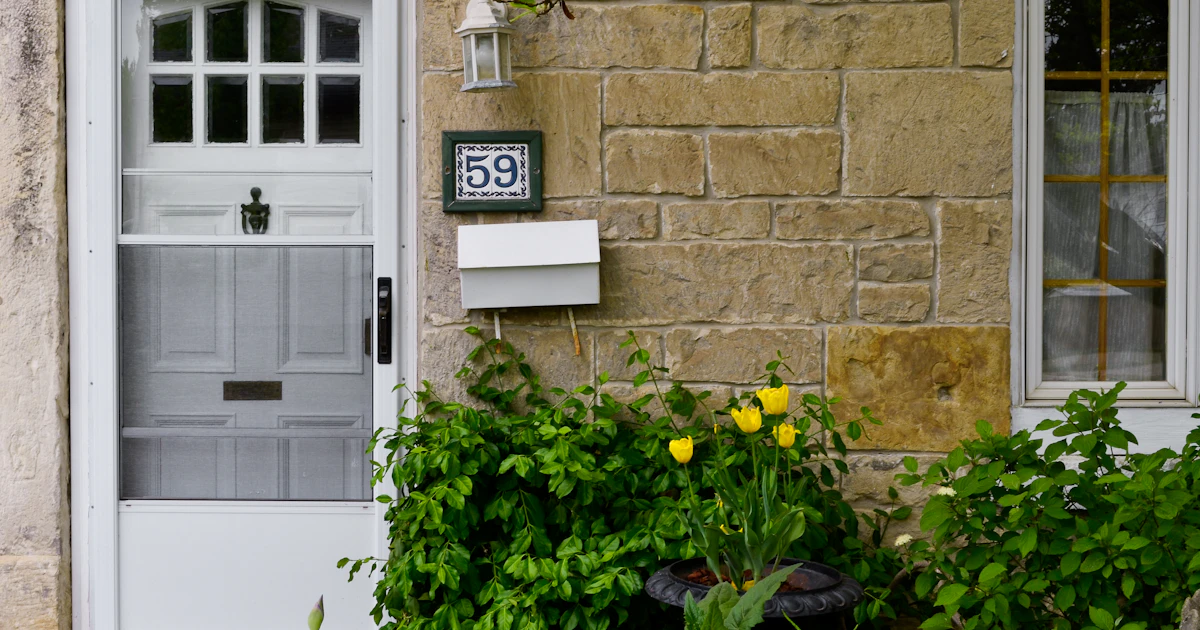
Placement decides security, not the model. A certified box on a busy street will be attacked before a basic box tucked into a private recess.
Spots that work. A facade wall you own, out of sight from the public road. Inside a garage, a utility room or an entry vestibule the guest already has a code for. A private gate, provided the box is wall-mounted rather than hanging. Fit it at chest height, never near the ground where water pools, and angle the mechanism downward so rain runs off instead of in.
Spots to avoid. Street furniture, municipal railings, sign posts and tree guards belong to the city. A box attached there counts as occupying public property and can be cut off without notice by municipal crews. Several tourist cities have run removal campaigns in recent years.
Shared areas need permission. In a building, drilling into a lobby wall, a shared landing door or a communal gate touches property held in common. Building rules sometimes forbid it outright, and a visible lockbox announces to every neighbour that a unit is being let short-term. Ask before you drill, or fall back on a spot inside the unit, behind a door the guest opens another way.
One last discretion habit: skip bright colours and models stamped with an obvious logo. A matte grey box on a grey wall goes unnoticed.
Rotating codes and sending them to guests
A code that never changes is a copy of your keys handed to every past guest. The rule is simple: one code per stay, changed at turnover cleaning.
In practice, whoever cleans the unit resets the combination right after checkout and confirms the new code to you. It adds thirty seconds to an hour-long job, and you never drive out for that reason alone again.
A few composition rules that cost nothing and prevent most of the risk:
- No arrival date, no street number, no 1234 or 0000. Those are the first sequences anyone tries.
- Change every digit, not just the last one. A code going from 4721 to 4722 is guessed in two attempts.
- On push-button models, vary which buttons you use between stays so the same ones do not wear down.
Timing matters as much as the code itself. Send it the day before arrival, not at booking. A code shared three weeks ahead lives on in screenshots, group chats and shared inboxes. Sent one day out, it is useful to the guest and worthless to anyone recovering it later.
Finally, avoid dropping it in plain text in the middle of a long platform message. A dedicated access screen, read at the right moment, cuts arrival-day phone calls sharply.
Building the lockbox into the arrival journey
The guest arrives after dark and hunts for a grey box on a grey wall. They have the code in hand, they cannot find the box, they call you. The fix is three elements in one place.
- A photo of the box in context, taken from where an arriving guest actually stands, with the surrounding landmark visible: the house number, the gate, the hedge.
- Step-by-step instructions, in the real order of the movements: slide the cover down, dial the four digits, press the latch, pull the door open.
- The code for this stay, shown only to this guest and only for these dates.
That is exactly the job of a digital welcome book that carries the code and the access instructions: one link or QR code, opened on the phone with nothing to install, in the guest’s own language. With Lyvo’s digital welcome book, you fill in the access section once per property and AI drafts the rest of the guide in under ten minutes. The code shows only for the current booking, which solves the problem of a code sitting in a six-month-old conversation thread.
The same guide then helps reassure guests meeting self check-in for the first time, display the house rules, and offer paid extras, from a station transfer to breakfast delivered on the first morning.
Lockbox or smart lock: three questions that settle it
The debate resolves fast if you answer three questions honestly.
How many units do you manage? Below three, the lockbox wins every time. Above five, with daily arrivals, driving out to change codes costs more than the lock does.
Can you modify the door? If you are a tenant, in a strictly governed building or in a listed property, the answer is made for you: lockbox.
What is your local risk? Ground floor on a busy street, a neighbourhood with reported break-ins, a building with no secured lobby: go for either a certified box in a concealed spot, or a lock with no physical key at all.
One overlooked combination works well: a smart lock for daily access, plus a certified lockbox as backup holding a mechanical key set. The night the battery dies at 11pm, the guest still gets in.
FAQ
What is the most secure lockbox for an Airbnb?
A wall-mounted dial box, bolted with four screws into solid masonry, with a steel body and an attack-resistance rating from an independent testing house. Shackle models that hang from a handle or railing offer far weaker resistance regardless of price.
Is it legal to attach a lockbox to a street fixture or a shared area?
On public property, no: street furniture, railings and posts belong to the city, which can remove the box without notice. In a shared building area it depends on the building rules and requires prior agreement. A wall or gate you own raises no issue at all.
Should the lockbox code change between every guest?
Yes, without exception. An unchanged code amounts to leaving a copy of your keys with every past guest. The simplest route is to have the cleaner reset it right after checkout and record the new code before the next arrival.
When should you send the access code to a guest?
The day before arrival. Early enough that the guest has it on hand if they are delayed or lose signal, late enough that it has not circulated for weeks. It should stay available throughout the stay and stop being available once checkout has passed.
What if a guest cannot open the lockbox?
Most of the time the mechanism was not reset after the last opening, or the cover was not slid fully down. Ask for a photo of the box, have them return all dials to zero and re-enter the code slowly. Keep a local contact who can be there within thirty minutes, and a spare key set stored off site.
What actually matters over time
A well-chosen, well-mounted lockbox disappears from your workload. A tested model, a discreet private spot, a code changed at cleaning and sent one day out cover most of the risk for under a hundred dollars per property.
The rest comes down to what the guest receives. If you want to see what a self check-in with nothing missing looks like, from the photo of the box to the extras offered during the stay, explore what Lyvo does or compare plans and pricing.